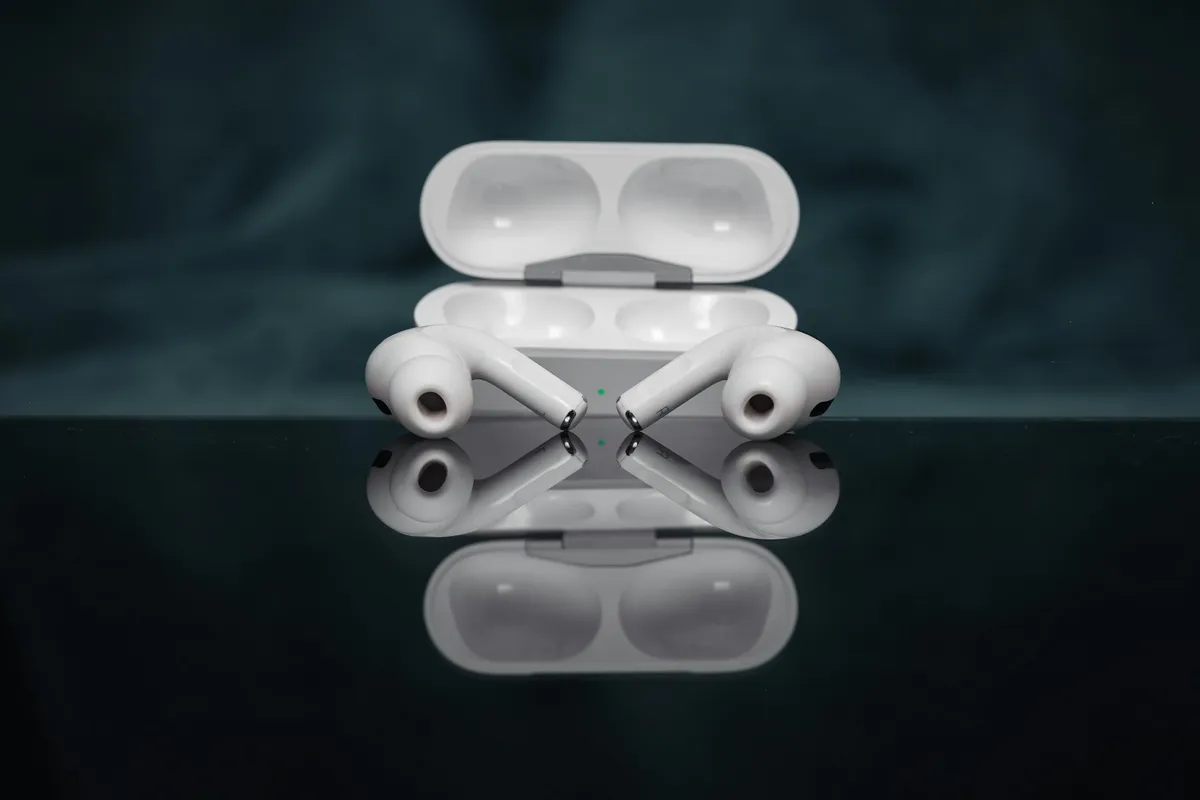
Review after purchasing and using AirPods Pro 2 for about a month and a half, especially daily life observations on using the audiogram Headphone Accommodations feature. My current positioning for them is as a cheap, temporary secondary pair of hearing aids that can also be used during exercise.
Origins
Nothing much, I just wanted to splurge (X The impulse to buy arose because I saw a discussion group mention that Apple had added a feature to adjust audio based on an audiogram in the "Accessibility" options for their own headphones.
Previously, when purchasing or looking for headphones, I always had to consider the limitations of wearing hearing aids (I have a mild-to-moderate hearing impairment), so I could only choose over-ear headphones. Without wearing hearing aids, using in-ear headphones has the following disadvantages:
- Uneven frequency loss causes the heard sounds to distort.
- To compensate for the sounds I can't hear clearly, I turn the overall volume up too loud, running the risk of damaging my hearing.
However, over-ear headphones are somewhat bulky and easily get hot and stuffy in the summer; secondly, they sometimes easily interfere with the hearing aids themselves.
This time, hearing that AirPods Pro could be adjusted based on an audiogram, and seeing foreign articles mentioning that in Transparency mode, after audiogram adjustment, the normal conversation ability of people with mild-to-moderate hearing impairment is on par with professional hearing aids, I wanted to buy them and try them out. I didn't expect that trying them would feel like discovering many new worlds.
Adjustment Mode Based on Audiogram
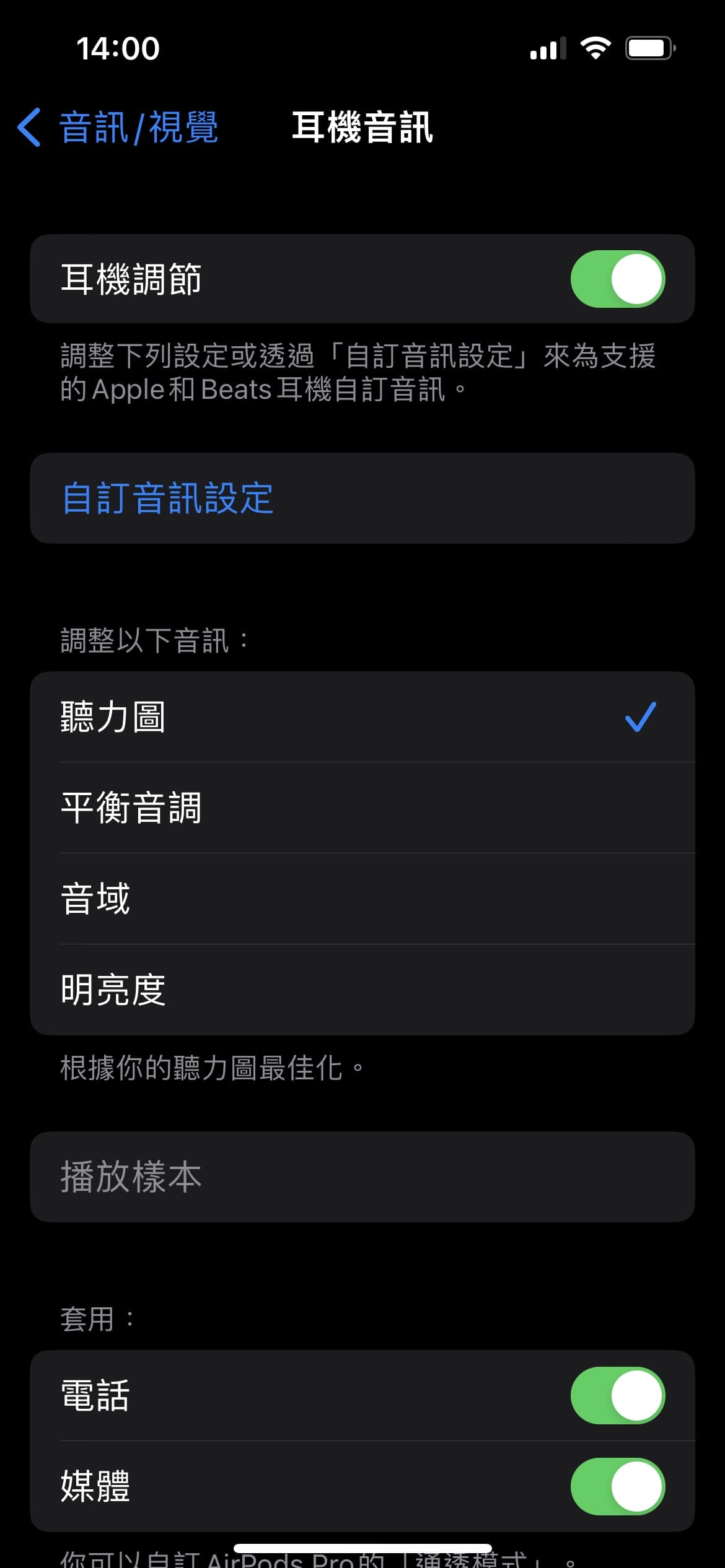
- Go to Headphone Accommodations > Audiogram, and follow the instructions to enter the decibel numbers from previous hearing tests.
- However, parts of my audiogram are missing, so I had to guess and enter more conservative data.
- Once filled in, it applies to Transparency mode, media, and phone calls.
Scenario One: Daily Focused Work and Noise Cancellation
Before
- Previously, when using over-ear headphones, the situation was awkward. When wearing hearing aids,
- even using the over-ear headphones' own noise cancellation mode, due to the characteristics of the hearing aids, the leaking sound would still be amplified, making the effect less comprehensive.
- If I wanted to block out sound completely, I had to take off the hearing aids. But if someone wanted to talk to me while I was focused on work, I had to go through a series of taking them off and putting them back on, which was somewhat troublesome.
After Using AirPods Pro 2
- Now, when focusing on work or studying, I use AirPods Pro directly instead of hearing aids.
- The noise cancellation effect is excellent, perfectly shielding the background chatting noise in a cafe at its loudest, achieving absolute silence.
- Transparency mode allows normal conversations; general daily conversations are no problem, making it suitable for dealing with occasional communication events.
- They are also very suitable for temporary online meetings. Because AirPods Pro 2 integrate seamlessly with Apple ecosystem products, the sound is very clear when using Google Meet and Webex paired with the audiogram enhancement.
  - Also, because Apple uses iCloud to unify Bluetooth pairing information across devices, I can switch between computer and phone at any time. I can keep a meeting going on my phone and quickly step away to the restroom without dropping the call.
Scenario Two: Exercise
- This was a scenario I didn't think of before buying, but it is surprisingly practical.
- Existing hearing aids are not waterproof or sweatproof. Once the weather is humid and stuffy or there is too much sweat, they easily get damp and emit abnormal sounds, which also affects the lifespan of the parts.
- There are special waterproof hearing aids, but they are expensive.
- But I still want to keep up my usual social and exercise routines.
- Because AirPods Pro 2 have a certain degree of water and sweat resistance, combined with the audiogram enhancement, I can maintain minimum daily communication during exercise.
- I now use them temporarily at regular badminton gatherings, making them effectively a second, cheap, temporary pair of hearing aids.
- The danger is that if they drop during high-intensity movements and get stepped on, they're done for.
Scenario Three: Audio/Video Entertainment
- AirPods Pro 2 support Spatial Audio. Paired with online streaming like Netflix and Apple TV, the 3D immersion is very strong.
- The sound information provided by existing hearing aids fails to clearly convey the directionality of sounds coming from speakers, but wearing AirPods Pro makes it very clear.
Scenario Four: Sleep Use
- This is also a situation I hadn't considered before buying.
- While observing factors affecting sleep, I guessed that the low-frequency noise of the air conditioner might be affecting the peace needed to fall asleep, because I previously thought that having some hearing loss meant it shouldn't have an effect.
- I could use earplugs, but then I fear the alarm wouldn't wake me up. I probably could buy a vibrating electronic alarm clock to use.
- I wanted to try and see if the AirPods Pro's noise cancellation mode helped -> It was effective; after the low-frequency AC noise disappeared, it was easier to fall asleep.
- I planned to pair them with phone alarm reminders -> The reality is that the headphones' battery life cannot last through normal sleep time when noise cancellation mode is on.
Battery Consumption
- Under normal heavy usage, they might need to be put back in the charging case after four to five hours of continuous use to recharge.
- The charging case charges very quickly. I haven't timed how fast it takes to fully charge, but under the condition of an urgent meeting, charging for ten-plus minutes can last for roughly another two-hour meeting.
- With a fully charged case, they can be used about two to three times a day.
Contraindications
- Usage is prohibited in environments requiring high observation and attention, such as traffic.
- I once tried them in the dead of night when traffic was light. The conclusion is that although AirPods Pro 2 are excellent, the range of their microphone's sound pickup is not as good as professional hearing aids; environmental sounds are noticeably reduced, making it very dangerous to use them under these conditions.
![[Unboxing] - Power Donut: A Portable Power Strip with Ingenious Design](/_astro/IMG_0137-1180x650.BOP_ghvP_ZuEWtE.webp)